

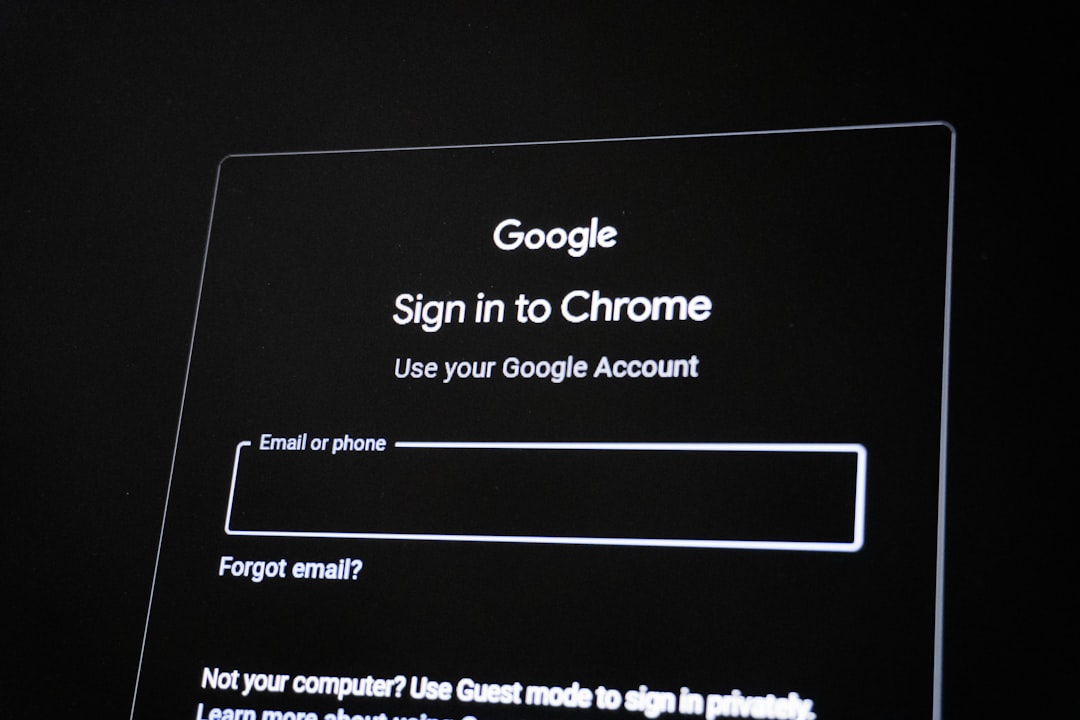
The Importance of Maintaining Accurate Account Data
Managing digital identity involves routine maintenance of personal details across various platforms. Whether updating billing information, email addresses, or security credentials, ensuring accuracy is vital for maintaining service continuity and digital security. Errors during these updates can lead to locked accounts, failed payments, or unauthorized access attempts. Adopting a systematic approach minimizes risks and ensures that sensitive information remains consistent across all service providers.
Preparation Before Initiating Changes
Before modifying any account details, verification of the current data is essential. Accessing the account through a secure, private connection is the first line of defense. Users should utilize multi-factor authentication to confirm identity before reaching the settings dashboard. Ensure that the device in use is free from malware by running updated security software. This preparation phase prevents the introduction of erroneous data caused by compromised sessions or network instability.
Best Practices for Updating Sensitive Information
When updating financial details or personal identification, precision is paramount. Avoid using auto-fill features that might populate outdated or incorrect cached information. Instead, manually enter data to ensure every digit and character matches the official documentation, such as bank statements or government-issued IDs. For organizations, refer to the National Institute of Standards and Technology guidelines for managing personal data to ensure compliance with privacy standards. Double-checking spelling and numerical sequences against physical records is a standard practice for reducing input errors.
Comparison of Verification Methods
| Method | Security Level | Efficiency | Best Used For |
|---|---|---|---|
| Email Verification | Medium | High | Password resets |
| SMS/Authenticator App | High | Medium | Login security |
| Document Upload | Very High | Low | Identity verification |
Securing Changes Through Multi-Factor Authentication
Modern digital platforms often require additional layers of verification to finalize account updates. Enabling authentication protocols ensures that even if an error occurs during the input process, the system prevents unauthorized changes. If an update involves changing an email address or phone number, the system will typically send a confirmation token. Failing to verify this token can result in an account suspension or a failure to sync the new information. Always monitor linked communication channels immediately after triggering an update.
Troubleshooting Common Update Failures
If an update fails, it is often due to cached browser data or incompatible character formats. Clearing the browser cache or attempting the update in an incognito window can resolve many display errors. If the issue persists, review the financial institution’s help documentation to see if there are specific requirements for address formats or password complexity. Persistent errors should be reported to the platform’s official support channel to prevent potential account lockout scenarios, as outlined by official identity protection services.
Maintaining Consistency Across Platforms
Fragmented data leads to confusion and security vulnerabilities. Utilizing a password manager that offers secure notes or profile management can help keep information consistent across different services. According to privacy advocacy groups, minimizing the number of platforms that hold sensitive data is a key strategy for reducing the surface area for potential breaches. Periodically auditing account information across all active services ensures that stale data is removed, which significantly enhances overall digital hygiene.
Frequently Asked Questions
How can I ensure my banking information is updated without causing a payment failure?
To prevent payment failures, verify that the billing address, zip code, and expiration dates exactly match the records held by your financial institution. It is recommended to perform these updates at least 48 hours before any scheduled recurring transactions. Always wait for a confirmation email from the provider, and if the update is for a credit card, check your mobile banking app to see if a small ‘pending’ authorization charge appears, which confirms the card is successfully linked and active.
What should I do if I enter the wrong email address during an account update?
If you realize an email was entered incorrectly, attempt to log in using the incorrect email to see if it allows access. If it does, immediately update it to the correct address. If the system does not recognize the incorrect email, you must contact the platform’s customer support team directly. Provide them with proof of identity and the original email address associated with the account so they can manually override the error and restore your access to the profile.
Why do some websites reject my new password even when it meets the requirements?
Password rejection often occurs due to hidden character requirements or the use of forbidden special characters. Some systems have specific restrictions on the length or the inclusion of symbols. Ensure you are not using a password that has been previously associated with a data breach, as many modern sites use databases to block compromised credentials. If the error continues, use a password generator to ensure the new input meets all technical complexity parameters mandated by the site’s security policy.
Is it safe to update account information on a public Wi-Fi network?
Updating account information on public Wi-Fi is strongly discouraged. Public networks are vulnerable to man-in-the-middle attacks where data traffic can be intercepted. Always perform sensitive updates on a private, password-protected network. If you must use a public connection, employ a reputable Virtual Private Network (VPN) to encrypt your connection, though waiting for a secure environment is the most reliable way to avoid data interception and entry errors.
How often should I review and update my account information?
A best practice is to conduct an account audit every six months. Review your email, phone number, recovery options, and payment methods. This frequency prevents the accumulation of outdated information that could trigger account recovery issues during an emergency. Additionally, perform an audit immediately following any life event, such as a change of address or phone provider, to ensure all services remain synchronized.
What is the role of a password manager in preventing update errors?
A password manager acts as a central repository for your credentials and personal data. By using a reputable manager, you reduce the risk of typos because the software automatically fills in verified data. Furthermore, password managers alert you if you are on a fraudulent website, preventing you from entering your sensitive information into a phishing site. This tool ensures that the data being submitted is consistent and accurate, significantly lowering the risk of manual input errors.
How can I verify if an account update request is legitimate?
If you receive a request to update your account information via email, do not click links within the message. Instead, navigate directly to the website by typing the address into your browser. Legitimate companies rarely ask for sensitive information like passwords or full credit card numbers through email. If you are unsure, visit the ‘Contact Us’ page of the organization’s official website and reach out to their support team to confirm if an update is required.
Conclusion
Updating account information requires diligence, secure practices, and attention to detail. By verifying your data, using secure networks, and maintaining consistency across platforms, you protect your digital identity from common errors and security risks. Regular audits and the use of modern tools like password managers will keep your information accurate and safe. Stay proactive in managing your accounts to ensure seamless, error-free access to your digital services.
